Find the rating plate for your refrigerator
Start with a readable photograph of the complete plate. If you are looking at a used listing, ask the seller for that photograph before trying to identify the age. Keep the model, serial and date fields in the same image.
Sub-Zero’s official locator separates refrigerators by configuration and series. Choose the row that matches yours:
| Refrigerator configuration or series | Where to look |
|---|---|
| Over/under combination: Classic BI/CL, 600, 500 or 200/300 | Open the refrigerator door; check the interior near its upper hinge |
| Side-by-side combination in those series | Open the freezer door; check the interior near its upper hinge |
| Classic BI/CL French-door | Check the left door’s interior near its upper hinge |
| Designer IC/DEC columns | Check the middle-drawer area beside the guide, opposite the hinge; DEC refrigerators use the area behind the central two drawers |
| Designer IT/DET tall, ID drawer, or 700 Series | Check the cabinet beside the upper drawer, on its left |
| PRO3650 | Check the cabinet left of the freezer drawer |
| PRO4850 or 648PRO | Check the cabinet left of the upper freezer drawer |
Basis: official Sub-Zero serial-tag locations, checked 10 October 2026. Its diagrams also cover all-refrigerator, undercounter and wine-storage configurations.
If you cannot match your refrigerator confidently, use that illustrated locator before searching further. For any drawer removal or panel access, follow the exact model’s manual or ask Sub-Zero for help. Our model-number guide can help you keep the different identification fields separate.
Read the Date Code field
Sub-Zero’s age guide identifies Date Code as the manufacture-date field and illustrates upper-right and lower-right positions. Some tags have no printed manufacture date.
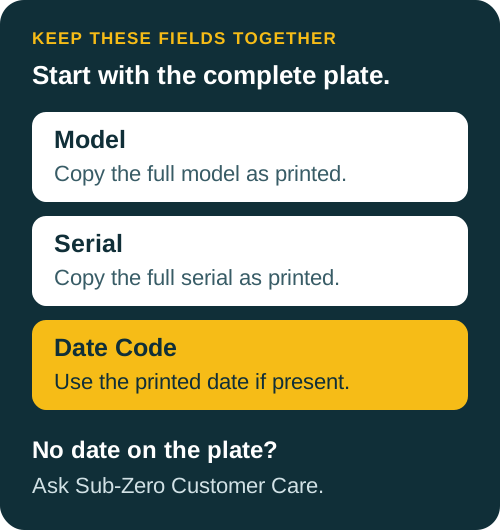
Copy the date exactly as it appears. If a character is unclear, ask for a sharper photograph before deciding on a year. Keep the original image with your notes so the result can be checked later.
Appliance Checkup’s automatic serial decoder does not support Sub-Zero. Use the manufacturer’s date-label guidance for this brand; this page does not provide a serial-digit formula or a working serial-number example.
If the date is missing or unreadable
When a plate lacks a manufacture date, Sub-Zero’s official route is to contact Customer Care through its age guide with the unit’s serial number.
Prepare a short inquiry with:
- The complete model and serial as printed.
- A readable plate photograph, if available.
- A direct request to confirm the manufacture month and year.
For an unreadable or missing plate, ask what identification the manufacturer can use. Leave the exact age unconfirmed until there is enough information. Do not fill an uncertain digit from memory or a similar refrigerator’s listing.
An older model’s timeline is useful context
Sub-Zero provides timelines for its product lines, including older series. The same page directs individual-unit age questions to its separate manufacture-date guidance.
Use a timeline to understand the model’s era. Avoid turning a family’s first or last production year into the build year of the refrigerator in front of you. Keep separate notes for a confirmed manufacture date, the family’s production period, and any purchase or installation paperwork the seller provides.
If only a model-era estimate is available, describe it that way in your listing or buying notes. Do not replace it with an exact age calculation.
Use the age check before your next buying decision
Once the date is confirmed, record its basis: the plate photograph or the manufacturer’s response. Keep condition, maintenance history and any planned service as separate questions. This guide establishes a route to the date; it does not assess the refrigerator’s remaining life, resale value or warranty coverage.
Use the used-appliance buying checklist to organize the rest of your questions. Check the model against appliance recall information and read any matching official notice. If your next appliance is another make, start with the refrigerator age guide for that brand’s method.
Checked against the listed manufacturer sources on 10 October 2026.